Showing posts with label Microsoft Office. Show all posts

Wednesday, March 23, 2016

Microsoft Clutter.... very cool feature.

Clean clutter free inbox.


I am sure by now you have met the new folder /tool included on your  microsoft's email accounts. They named it "clutter".

What about junk email ? you  might be asking. Well , clutter is not the same as junk.   Although both will be filtered out of your inbox, junk email is evaluated and filtered first, then after that, clutter analyzes the remaining messages and filters out the types of messages that you usually ignore or don't respond to.

This means that clutter is a very smart feature that filters emails according to the user's behavior!.

So what to do if you see some emails in the clutter box that you want them on your inbox?

Move then to inbox and clutter will get the signal that you want that particular emails on your inbox.

So my tip for today:

If you are having issues with clutter filtering important emails out of your inbox, just get in the habit of check your clutter folder and parse it to find message that you might not consider clutter.

See you soon with more tips.


Wednesday, August 19, 2015

They work together ! google drive plug in for Microsoft Office

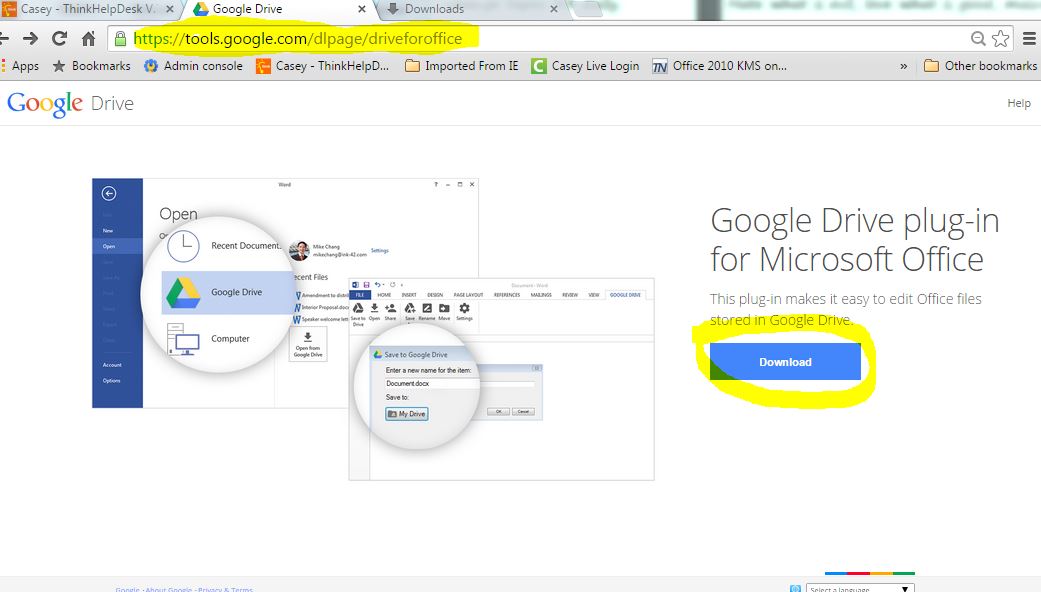
There is a new google drive plug-in for Microsoft Office


google drive plug-in
I was checking what is new in google Apps for education and I came across with this new plug-in. You wonder, what is a plug in? well a plug in is a software component that adds a feature to an existing software application.

So this plug-in will allow users to open and save files to their google drive from any Microsoft Office application.

That would save the user time since they won't have to open a browser, download a file then edit it, and finally upload it again.

Below is the address:

https://tools.google.com/dlpage/driveforoffice

So my tip for today:

If you are running office 2013 or Office 365 as part of a subscription and have files stored on google drive, give it a try.